Skip to content

Enable Tool Permission HITL

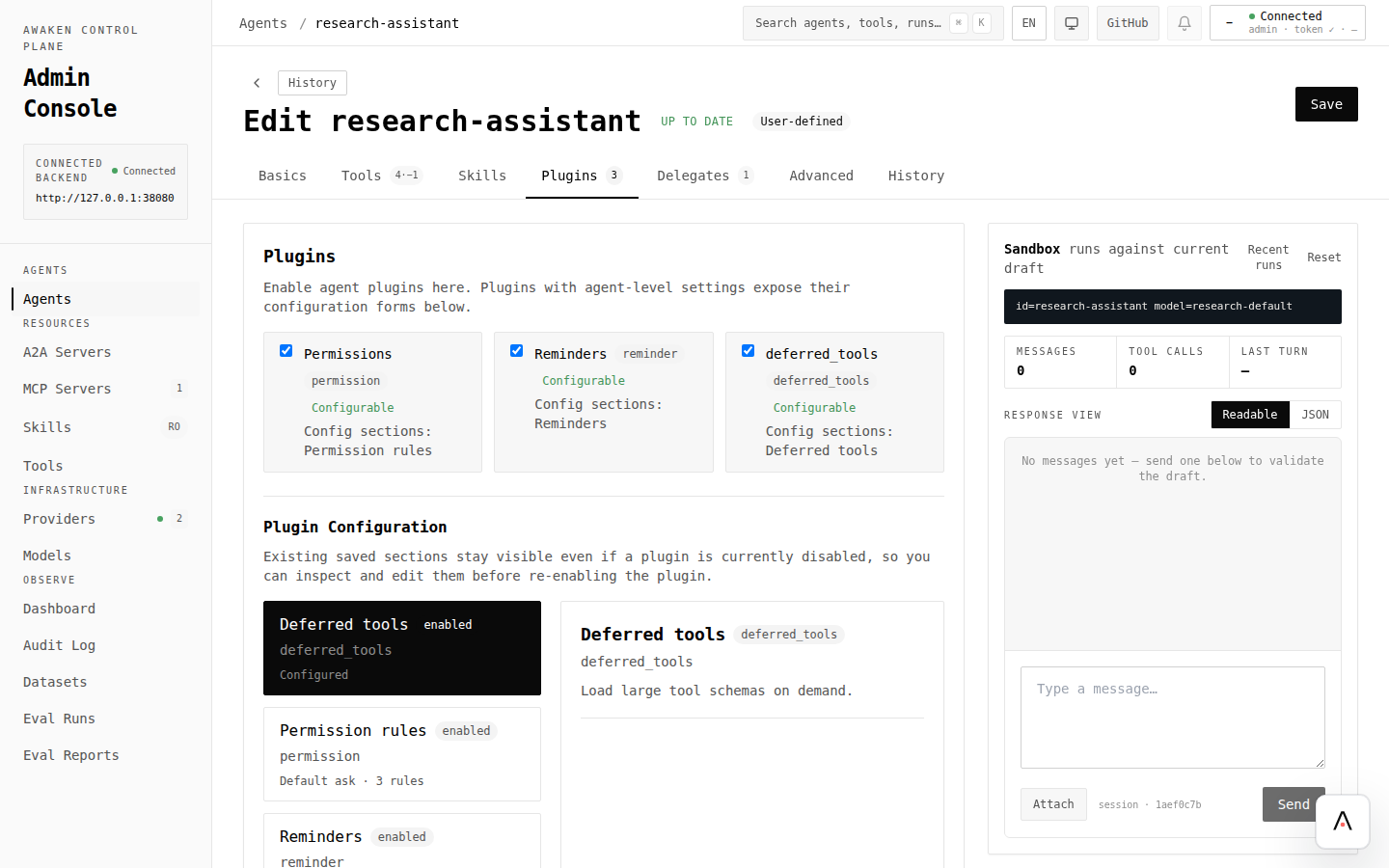
Use this when you need to control which tools an agent can invoke, with human-in-the-loop approval for sensitive operations.

  • A working awaken agent runtime (see First Agent)
  • Feature permission enabled on the awaken crate (enabled by default)
[dependencies]
awaken = { git = "https://github.com/AwakenWorks/awaken", features = ["permission"] }
tokio = { version = "1", features = ["full"] }
serde_json = "1"
  1. Register the permission plugin.
use std::sync::Arc;
use awaken::engine::GenaiExecutor;
use awaken::ext_permission::PermissionPlugin;
use awaken::registry_spec::ModelSpec;
use awaken::registry_spec::AgentSpec;
use awaken::{AgentRuntimeBuilder, Plugin};
let mut agent_spec = AgentSpec::new("my-agent")
.with_model_id("gpt-4o-mini")
.with_system_prompt("You are a helpful assistant.")
.with_hook_filter("permission");
agent_spec.plugin_ids.push("permission".into());
let runtime = AgentRuntimeBuilder::new()
.with_provider("openai", Arc::new(GenaiExecutor::new()))
.with_model(ModelSpec::new("gpt-4o-mini", "openai", "gpt-4o-mini"))
.with_agent_spec(agent_spec)
.with_plugin("permission", Arc::new(PermissionPlugin) as Arc<dyn Plugin>)
.build()
.expect("failed to build runtime");

The plugin registers a ToolGateHook that evaluates permission rules before every tool call. plugin_ids loads the plugin; with_hook_filter("permission") keeps its hooks active when the agent loads multiple plugins.

  1. Define permission rules inline.
use awaken::ext_permission::{PermissionRulesConfig, PermissionRuleEntry, ToolPermissionBehavior};
let config = PermissionRulesConfig {
default_behavior: ToolPermissionBehavior::Ask,
rules: vec![
PermissionRuleEntry {
tool: "read_file".into(),
behavior: ToolPermissionBehavior::Allow,
scope: Default::default(),
},
PermissionRuleEntry {
tool: "file_*".into(),
behavior: ToolPermissionBehavior::Ask,
scope: Default::default(),
},
PermissionRuleEntry {
tool: "delete_*".into(),
behavior: ToolPermissionBehavior::Deny,
scope: Default::default(),
},
],
};
let ruleset = config.into_ruleset().expect("invalid rules");
  1. Load rules from a YAML file (alternative).

    Create permissions.yaml:

default_behavior: ask
rules:
- tool: "read_file"
behavior: allow
- tool: "Bash(npm *)"
behavior: allow
- tool: "file_*"
behavior: ask
- tool: "delete_*"
behavior: deny
- tool: "mcp__*"
behavior: ask

Load it in code:

use awaken::ext_permission::PermissionRulesConfig;
let config = PermissionRulesConfig::from_file("permissions.yaml")
.expect("failed to load permissions");
let ruleset = config.into_ruleset().expect("invalid rules");
  1. Configure via agent spec.

    Permission rules can also be embedded in the agent spec using the permission plugin config key:

use awaken::registry_spec::AgentSpec;
use awaken::ext_permission::{
PermissionConfigKey, PermissionRulesConfig, PermissionRuleEntry, ToolPermissionBehavior,
};
let mut agent_spec = AgentSpec::new("my-agent")
.with_model_id("gpt-4o-mini")
.with_system_prompt("You are a helpful assistant.")
.with_hook_filter("permission");
agent_spec.plugin_ids.push("permission".into());
agent_spec.set_config::<PermissionConfigKey>(PermissionRulesConfig {
default_behavior: ToolPermissionBehavior::Ask,
rules: vec![
PermissionRuleEntry {
tool: "read_file".into(),
behavior: ToolPermissionBehavior::Allow,
scope: Default::default(),
},
],
})?;
  1. Understand rule evaluation.

    Rules are evaluated with firewall-like priority:

  2. Deny — highest priority, blocks the tool call immediately

  3. Allow — permits the tool call without user interaction

  4. Ask — suspends the tool call and waits for human approval

The pattern syntax supports:

PatternMatches
read_fileExact tool name
file_*Glob on tool name
mcp__github__*Glob for MCP-prefixed tools
Bash(npm *)Tool name with primary argument glob
Edit(file_path ~ "src/**")Named field glob
Bash(command =~ "(?i)rm")Named field regex
/mcp__(gh|gl)__.*/Regex tool name
  1. Register a tool that matches a deny rule and attempt to invoke it.
  2. The tool call should be blocked before execution, with the run terminating for deny rules.
  3. Register a tool matching an ask rule. The run should suspend, waiting for human approval via the mailbox.
  4. Send approval through the mailbox endpoint and confirm the run resumes.
SymptomCauseFix
All tools blockeddefault_behavior: deny with no allow rulesAdd explicit allow rules for safe tools
Rules not evaluatedPlugin not loaded or hook filtered outRegister PermissionPlugin, add "permission" to plugin_ids, and include with_hook_filter("permission") when using hook filters
Invalid pattern errorMalformed glob or regexCheck syntax against the pattern table above
Ask rule never resolvesNo mailbox consumerWire up a frontend or API client to respond to mailbox items
  • crates/awaken-ext-permission/tests/
PathPurpose
crates/awaken-ext-permission/src/lib.rsModule root and public re-exports
crates/awaken-ext-permission/src/config.rsPermissionRulesConfig and YAML/JSON loading
crates/awaken-ext-permission/src/rules.rsPattern syntax, ToolPermissionBehavior, rule evaluation
crates/awaken-ext-permission/src/plugin/plugin.rsPermissionPlugin registration
crates/awaken-ext-permission/src/plugin/checker.rsPermissionToolGateHook (ToolGate)
crates/awaken-tool-pattern/Shared glob/regex pattern matching library