
Connect an A2A Server
An A2A server is a remote agent service. Register its endpoint and Awaken
fetches the server’s agent card, turns the advertised agents into AgentSpec
entries, and lists them alongside your local agents — ready to delegate to or
run directly. This guide registers one from the browser.
For the protocol-level contract (agent card shape, message:send, task
polling), see the A2A protocol reference.
Prerequisites
Section titled “Prerequisites”- A running
awaken-serverwith aConfigStorewired in, reachable from the console (see Use the Admin Console). - A reachable remote A2A endpoint that serves an agent card at
<base-url>/.well-known/agent-card.json.
-
Open A2A Servers in the sidebar (under Resources) and click New A2A server.
-
Fill the form:
- Server ID (required) — a stable id for this connection. Read-only after creation.
- Base URL (required) — the server root, e.g.
https://agents.example.com. Awaken reads the agent card relative to it. - Timeout (ms) (optional) — request timeout, 1–30000, default 10000.
- Optional target — pin a specific advertised agent/skill if the server exposes more than one.
- A2A bearer token (optional) — sent on discovery and execution requests. The field has Replace / Clear / Preserve modes so you can rotate or keep an existing secret without re-entering it.
- Options JSON (optional) — adapter-specific options.
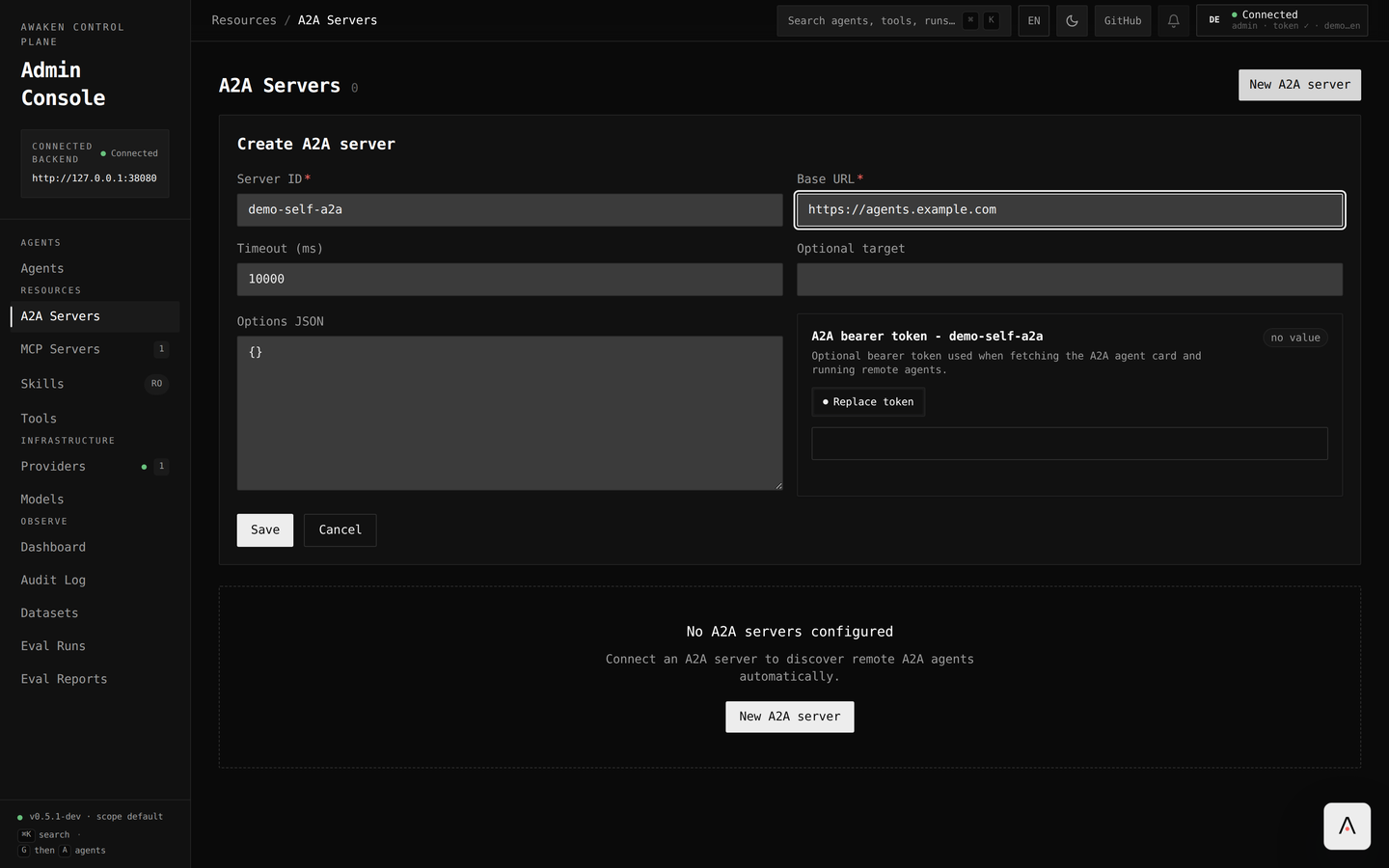
Create A2A server — only Server ID and Base URL are required. -
Click Refresh card to fetch the agent card now. The form shows the discovered name, version, supported interfaces, and skills, plus a connection dot. This calls
GET /v1/a2a-servers/:id/status(cached ~15s). -
Click Save. The console publishes through
POST /v1/config/a2a-servers(orPUT /v1/config/a2a-servers/:idwhen editing) after a non-destructive…/validatecheck.
The discovered remote agents now appear in the Agents list. Open any of your own agents and add them under the Delegates tab to let it hand off to a remote agent.
What the console calls
Section titled “What the console calls”| Action | Endpoint |
|---|---|
| List / get | GET /v1/config/a2a-servers, GET /v1/config/a2a-servers/:id |
| Create / update | POST /v1/config/a2a-servers, PUT /v1/config/a2a-servers/:id |
| Validate (dry run) | POST /v1/config/a2a-servers/validate |
| Discover / status | GET /v1/a2a-servers/:id/status |
| Delete | DELETE /v1/config/a2a-servers/:id |
- Discovery is guarded. The server refuses to fetch agent cards from loopback and private hosts (SSRF protection), so a local test endpoint will not resolve a card — point at a routable host.
- Versioned config. Like every config resource, A2A servers carry an audit history; use the History tab to review or restore a previous spec.