
Capture a Dataset and Run an Eval
Use evals when a prompt, model, tool, permission, or stop-policy change should be checked against the same examples every time. The browser flow is: observe a run, save useful traces as fixtures, run the dataset, then inspect results.
What you click
Section titled “What you click”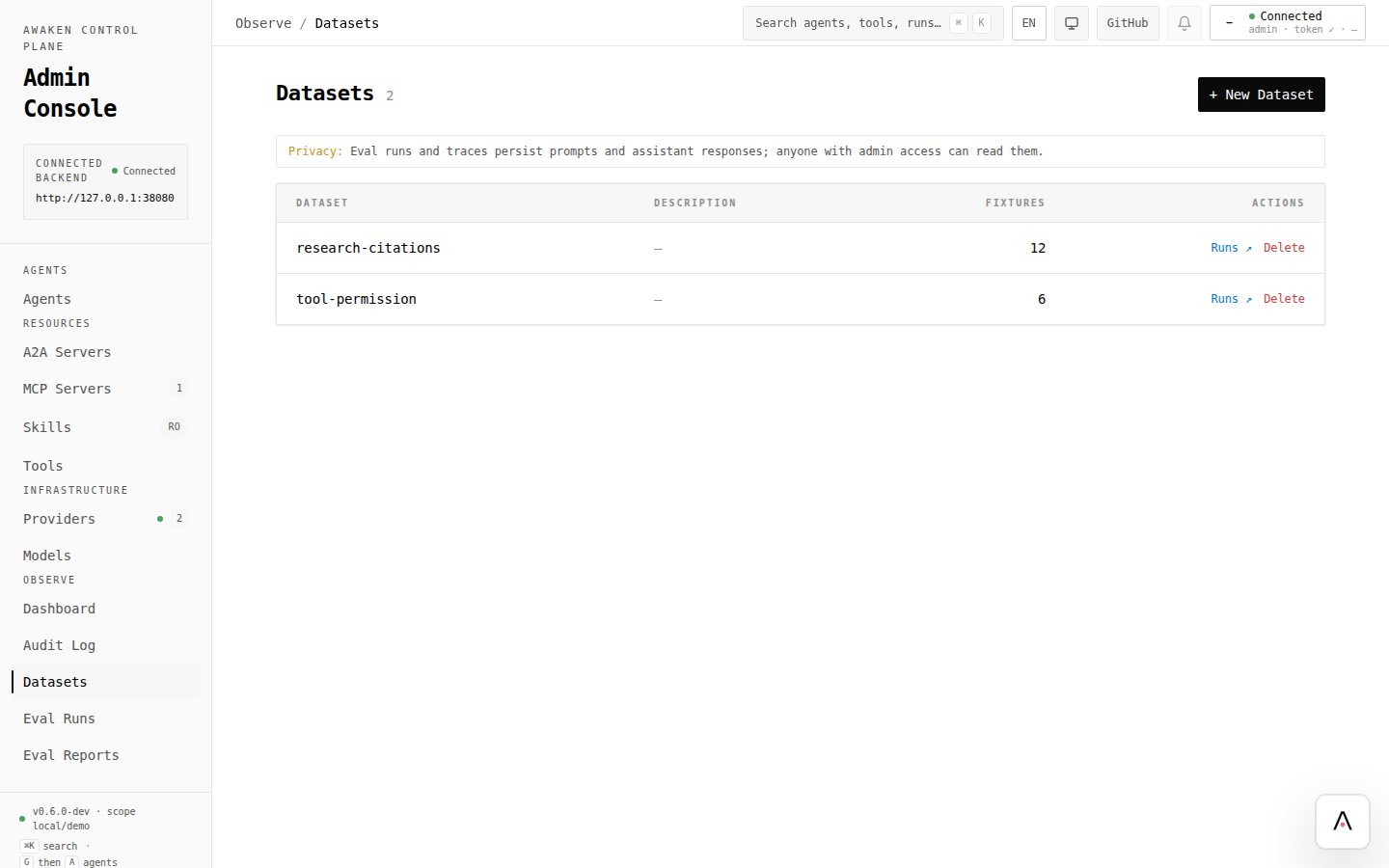
1. Produce a trace
Section titled “1. Produce a trace”- Run the agent from your client or from the agent editor preview.
- Open the saved agent.
- Use Recent runs to inspect the trace when trace routes are enabled.
- Choose a run that captures behavior you want to keep or compare.
If the trace drawer is unavailable, wire trace storage first. See Enable Observability.
2. Create or choose a dataset
Section titled “2. Create or choose a dataset”- Open Observe → Datasets.
- Click New Dataset when this is a new behavior suite, or open an existing dataset for a regression set.
- Use a stable id that describes the behavior, such as
research-citationsortool-permission.
3. Add fixtures from traces
Section titled “3. Add fixtures from traces”- From the trace drawer, click Save as fixture.
- Choose the dataset.
- Give the fixture a readable id and description.
- Keep provider-script capture required when the run must be replayable without spending model tokens.
- Save and confirm the dataset fixture count changed.
4. Run the eval
Section titled “4. Run the eval”- Open the dataset.
- Click Run eval.
- Choose the agent and model context you want to test.
- Start the run.
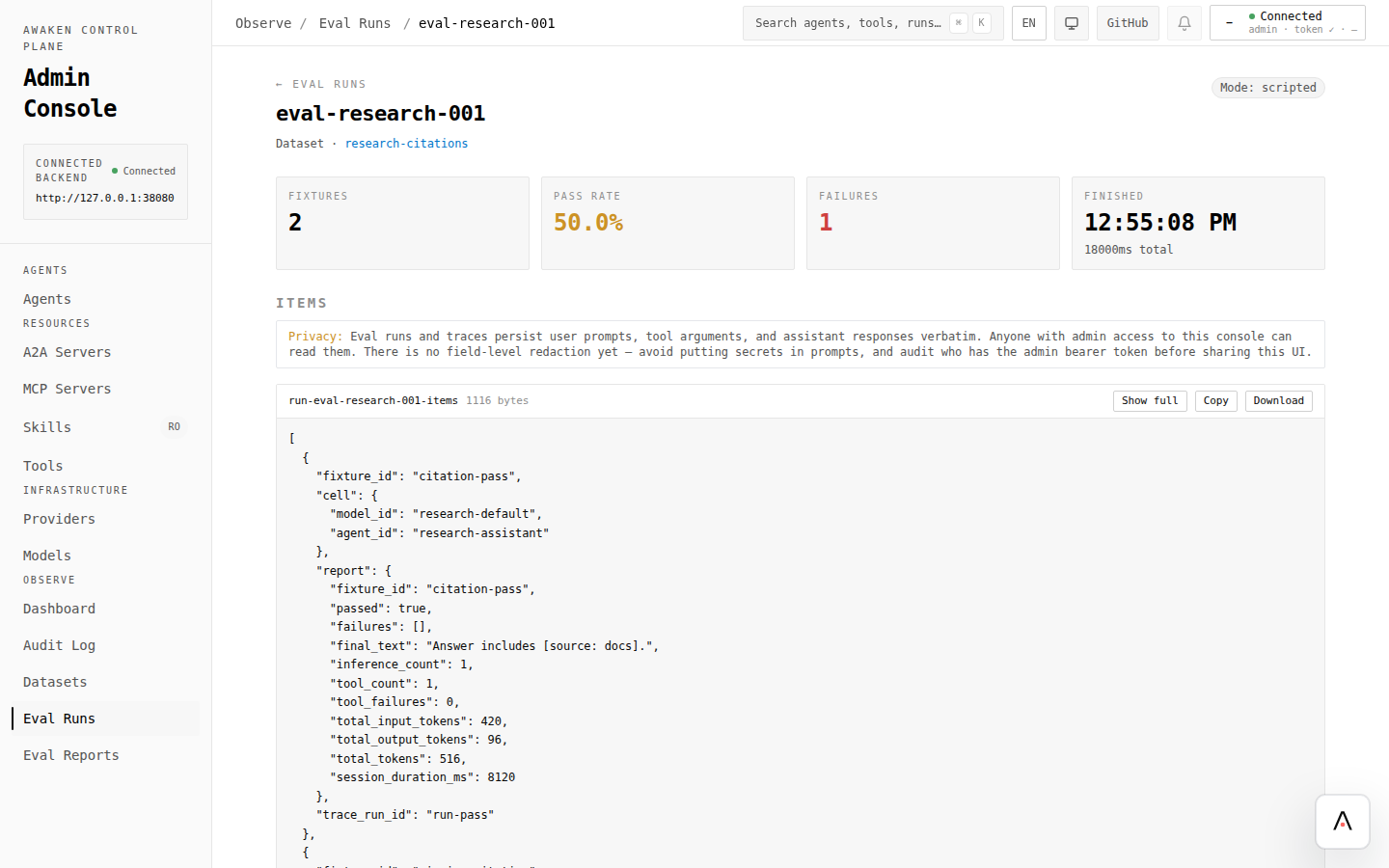
- Open the generated Eval Run.
Use scripted mode when fixtures contain provider scripts. Use live mode only when you intentionally want to call the configured model provider.
5. Read the results
Section titled “5. Read the results”Check:
- pass rate and failure count;
- per-fixture final answer;
- expectation/check failures;
- baseline differences if you uploaded or selected a baseline report.
A failed fixture is a tuning input: return to the agent editor, change one field, validate, preview, save, then rerun the same eval.
What the console calls
Section titled “What the console calls”Endpoint details belong in the references. For automation, see:
Code references
Section titled “Code references”Use these when implementing custom eval or replay flows:
crates/awaken-eval/src/runtime_replayer.rs— scripted/live replay and revise-on-fail support.crates/awaken-eval/src/dataset.rs— dataset and fixture data model.crates/awaken-eval/src/judge.rs— judge configuration and LLM-backed judging.crates/awaken-eval/tests/eval_integration.rs— replay, judge, and report coverage.