
Build an Agent with the Admin Assistant
The Admin Assistant is a built-in agent that turns a natural-language
description into a validated AgentSpec. It reads your platform’s capabilities,
drafts a spec, and validates it — then hands the draft to you to review and
publish. It is the fastest way to go from intent to a working agent without
hand-filling the editor.
Prerequisites
Section titled “Prerequisites”- A running
awaken-serverwith aConfigStore, reachable from the console. - At least one provider-backed model configured and published. The
assistant is disabled until then (offline
scriptedmodels do not count). Configure one first — see Use the Admin Console (“Test a provider”).
-
Click the floating Awaken bubble in the bottom-right corner. If it shows a warning icon, hover it: the tooltip names what’s missing (usually “Configure a provider-backed model to enable the admin assistant”), and the panel offers Providers/Models setup links.
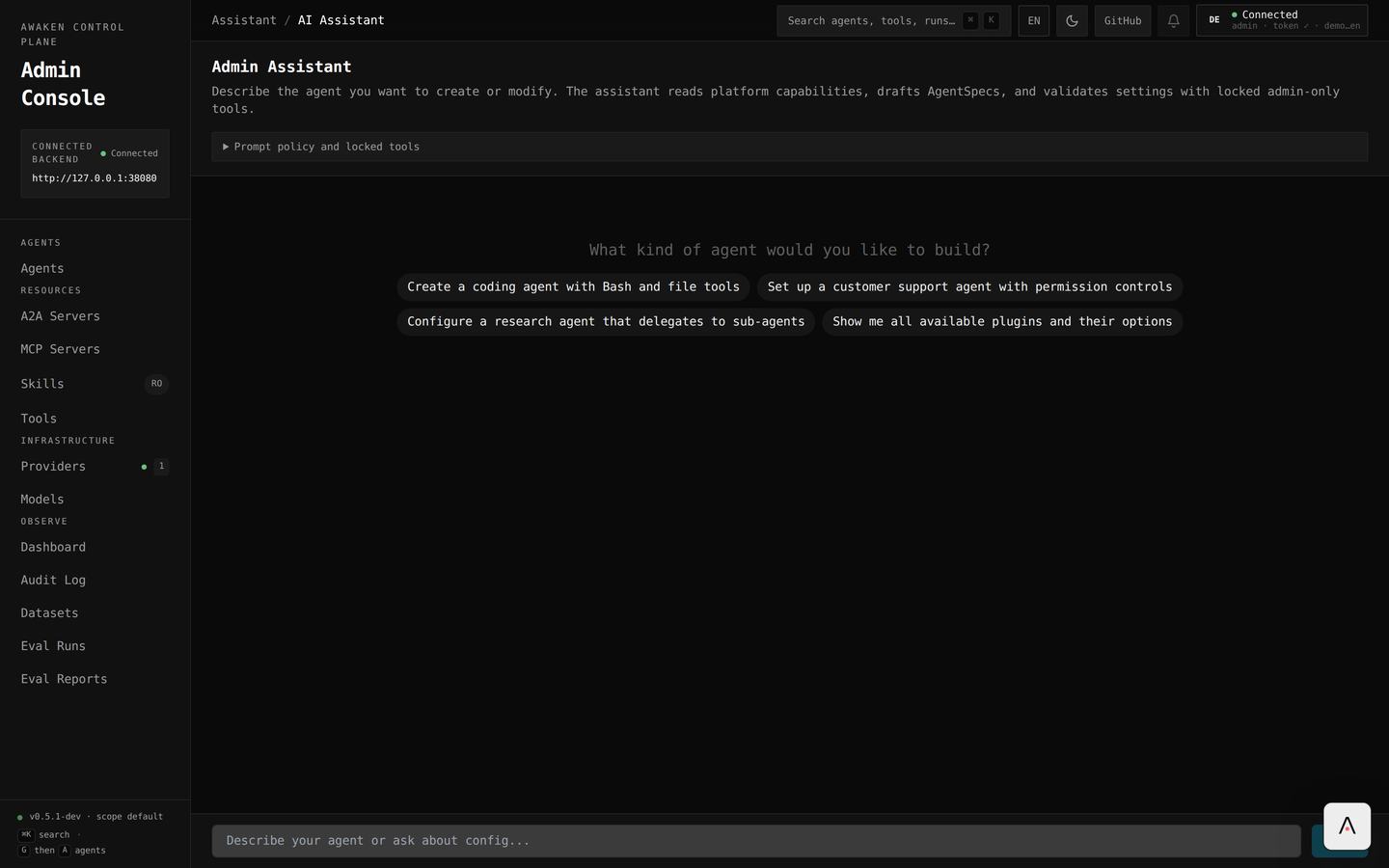
The Admin Assistant — describe the agent, or pick a starter prompt. -
In the input (“Describe your agent”), state what you want — id, model, behavior, and any tools or delegates. For example:
Create an agent with id
concierge, modeldefault: a friendly greeter that explains what the product does, with short replies. Create and validate it. -
Press Enter. The assistant streams its reasoning and calls its tools in order:
admin_get_platform_capabilities— reads a redacted snapshot of your models, tools, providers, plugins, and MCP servers.admin_create_agent_draft— drafts a normalizedAgentSpecfrom your intent.admin_validate_agent— runs the same checks asPOST /v1/config/agents/validateand reportsokor the errors.
-
Review and publish. By design the assistant has no publish tool — it stops at a validated draft and tells you the next step. Open the agent in the editor, confirm the fields, and click Save & Publish. The agent then appears in the Agents list and serves the next request.
The assistant runs against POST /v1/admin/assistant/runs (an SSE stream in the
AI SDK message format), using its own locked system prompt and the model you
configured for it.
Tune the assistant
Section titled “Tune the assistant”The assistant’s behavior is governed by a policy prompt and a model binding:
GET/PUT /v1/admin/assistant/config— setmodel_idand apolicy_prompt(up to 8 KB) that is appended after the locked instructions. Writes use revision-based optimistic locking (a409means someone else changed it).- If you don’t set
model_id, the assistant auto-selects the first available provider-backed model.
- Approval gate. The draft is never published automatically — publication
always goes through the editor (or
POST /v1/config/agents). This keeps a human in the loop. - Shared
default. While building, the assistant may repoint the shareddefaultprovider/model. If you rely ondefaultfor live runs elsewhere, re-assert it afterward (the demo capture does exactly this before its eval). - Admin-only. The assistant is not exposed to non-admin capability views.