
采集数据集并运行评测
当 prompt、model、tool、permission 或 stop-policy 变更需要每次都用同一批样本检查时,使用 eval。浏览器流程是:观察 run,把有价值 trace 保存为 fixture,运行 dataset,再检查结果。
你要点击什么
Section titled “你要点击什么”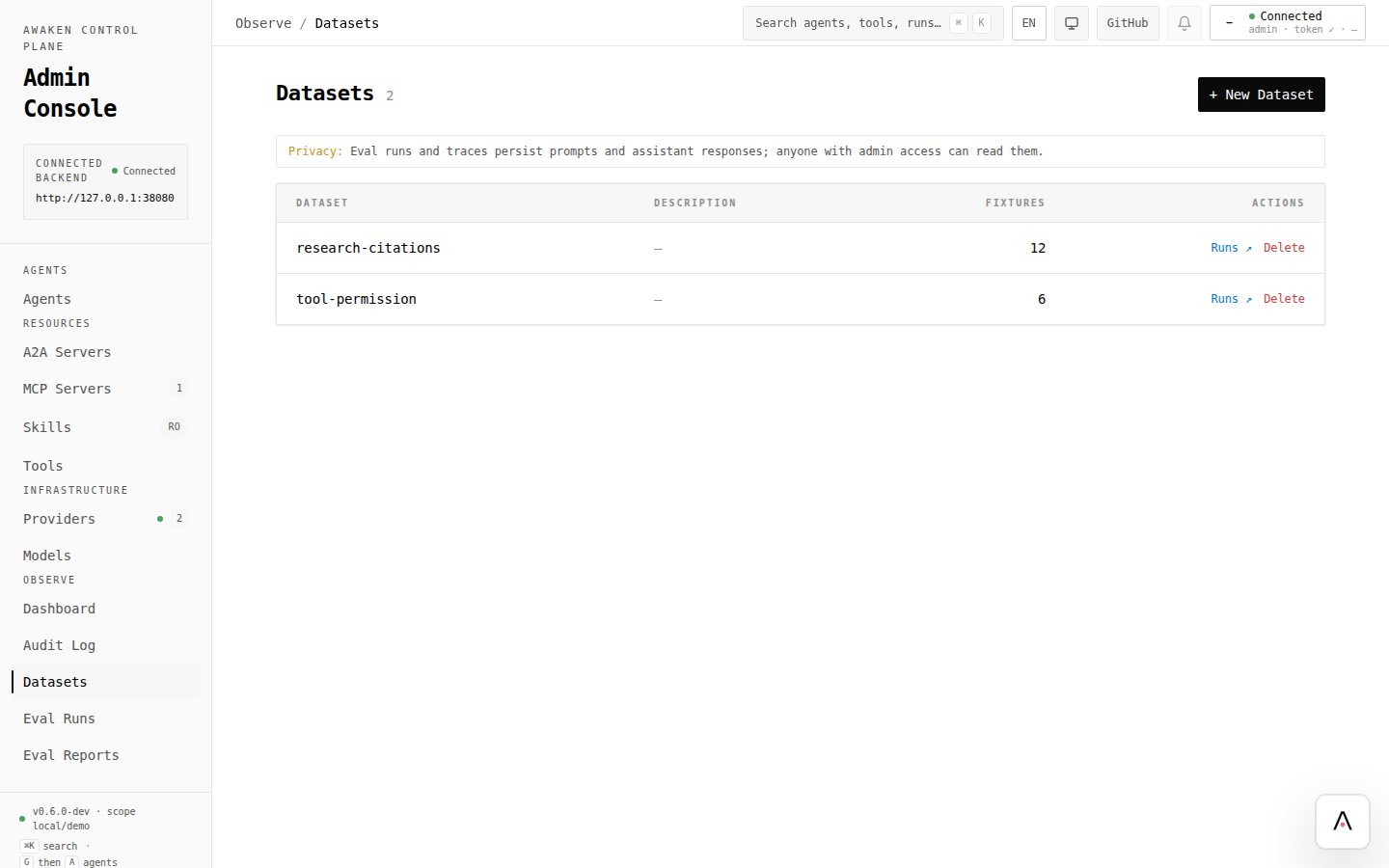
1. 产生一条 trace
Section titled “1. 产生一条 trace”- 从你的 client 或 Agent editor preview 运行 Agent。
- 打开已保存 Agent。
- trace routes 启用后,用 Recent runs 查看 trace。
- 选择一条能代表你要保留或对比行为的 run。
如果 trace drawer 不可用,先接入 trace storage。见 启用可观测性。
2. 创建或选择 dataset
Section titled “2. 创建或选择 dataset”- 打开 Observe → Datasets。
- 新行为套件点击 New Dataset;回归集合则打开已有 dataset。
- 使用描述行为的稳定 id,例如
research-citations或tool-permission。
3. 从 trace 添加 fixtures
Section titled “3. 从 trace 添加 fixtures”- 在 trace drawer 中点击 Save as fixture。
- 选择 dataset。
- 给 fixture 填写可读 id 和 description。
- 如果 run 必须不消耗模型 token 就能回放,保持 provider-script capture required。
- 保存,并确认 dataset fixture count 已变化。
4. 运行 eval
Section titled “4. 运行 eval”- 打开 dataset。
- 点击 Run eval。
- 选择要测试的 Agent 和 model context。
- 启动 run。
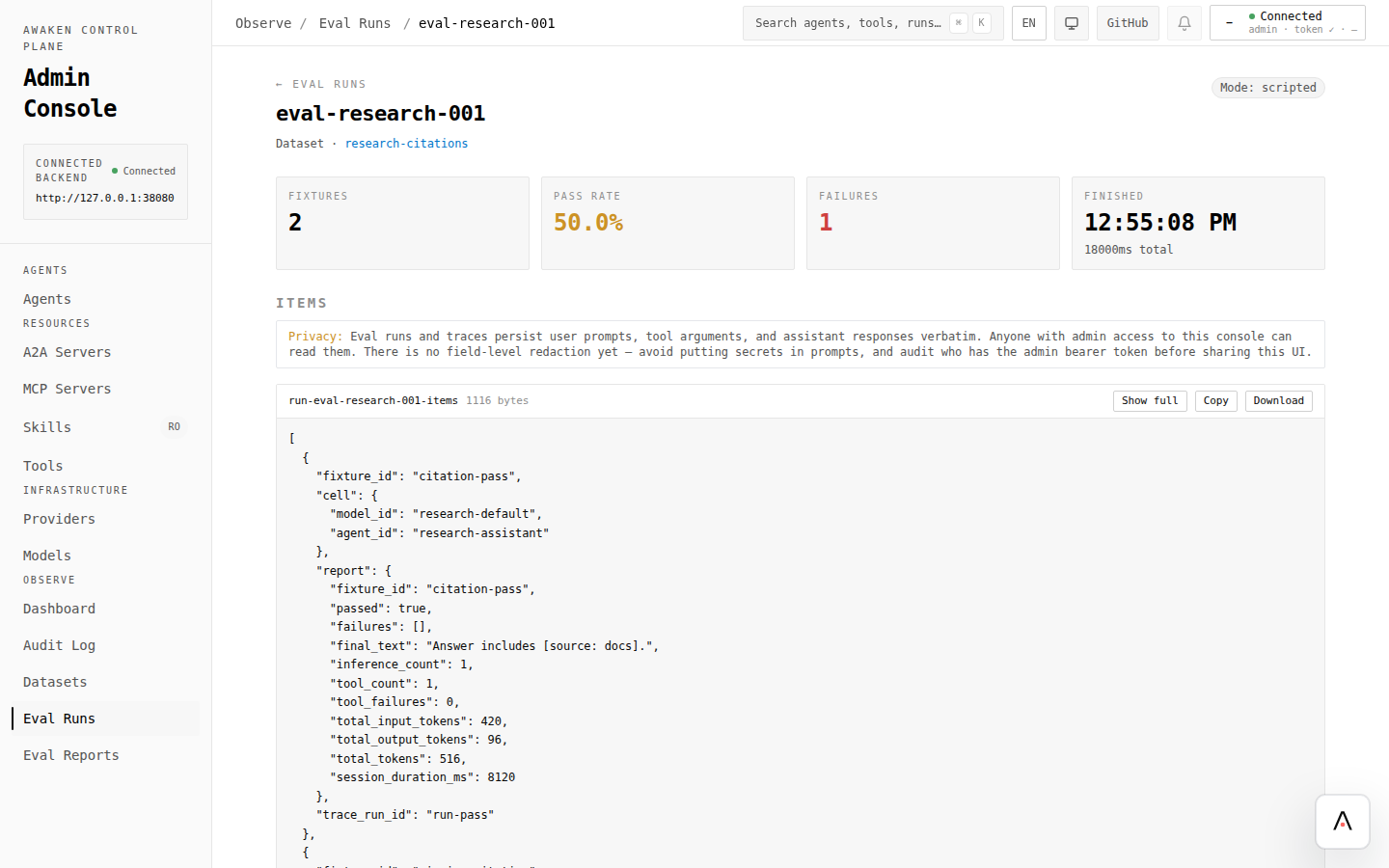
- 打开生成的 Eval Run。
fixtures 含 provider scripts 时使用 scripted mode。只有当你明确要调用配置好的模型 provider 时,才使用 live mode。
5. 阅读结果
Section titled “5. 阅读结果”检查:
- pass rate 和 failure count;
- 每个 fixture 的 final answer;
- expectation/check failures;
- 如果上传或选择了 baseline report,检查 baseline differences。
失败 fixture 是调优输入:回到 Agent editor,一次改一个字段,validate、preview、save,然后重跑同一个 eval。
控制台调用的端点
Section titled “控制台调用的端点”端点细节放在 reference 中。自动化请看:
实现自定义 eval 或 replay 流程时参考:
crates/awaken-eval/src/runtime_replayer.rs—— scripted/live replay 与 revise-on-fail 支持。crates/awaken-eval/src/dataset.rs—— dataset 和 fixture 数据模型。crates/awaken-eval/src/judge.rs—— judge 配置与 LLM-backed judging。crates/awaken-eval/tests/eval_integration.rs—— replay、judge 和 report 覆盖。